
01 / SHARED CONTEXT
One task board, not eight chat windows
Agents read and write the same board, so the next one starts from where the last one stopped instead of from your summary of it. Two agents never pick up the same item.
Agent-to-agent orchestrationOne workspace for your AI coding agents
Open one repo. Code, tasks, and review run locally, free, with no account. A Codex agent picks up what a Claude agent finished. Harmony Cloud is optional hosted compute, billed separately from model tokens.
The desktop app and terminal agent are free and need no account. Sign in only for Harmony Cloud hosted compute, billed separately from model tokens. Harmony Cloud hosted compute
Orchestrates
Install from your terminal
Every download is SHA-256 verified before anything runs. Read the script first.
Prefer an installer fileHarmony is a desktop app. These commands run on macOS, Linux or Windows — copy one now and paste it on your computer, or email yourself a reminder.
curl -fsSL https://ideharmony.com/install.sh | shAlso works in WSL and any POSIX shell (bash, zsh, sh).
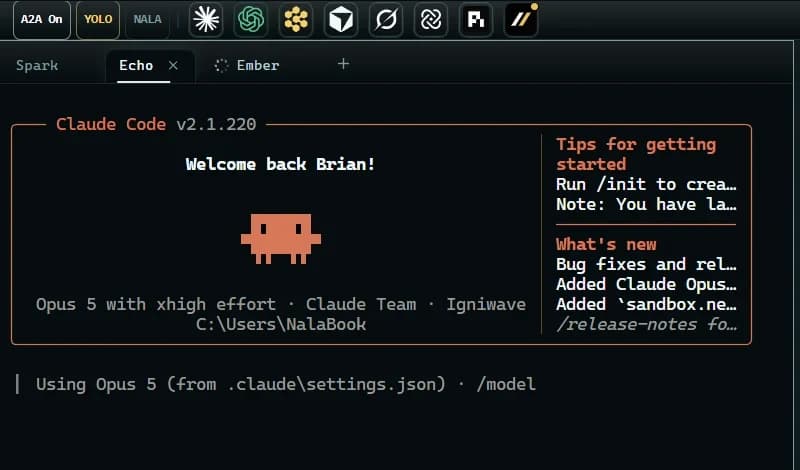
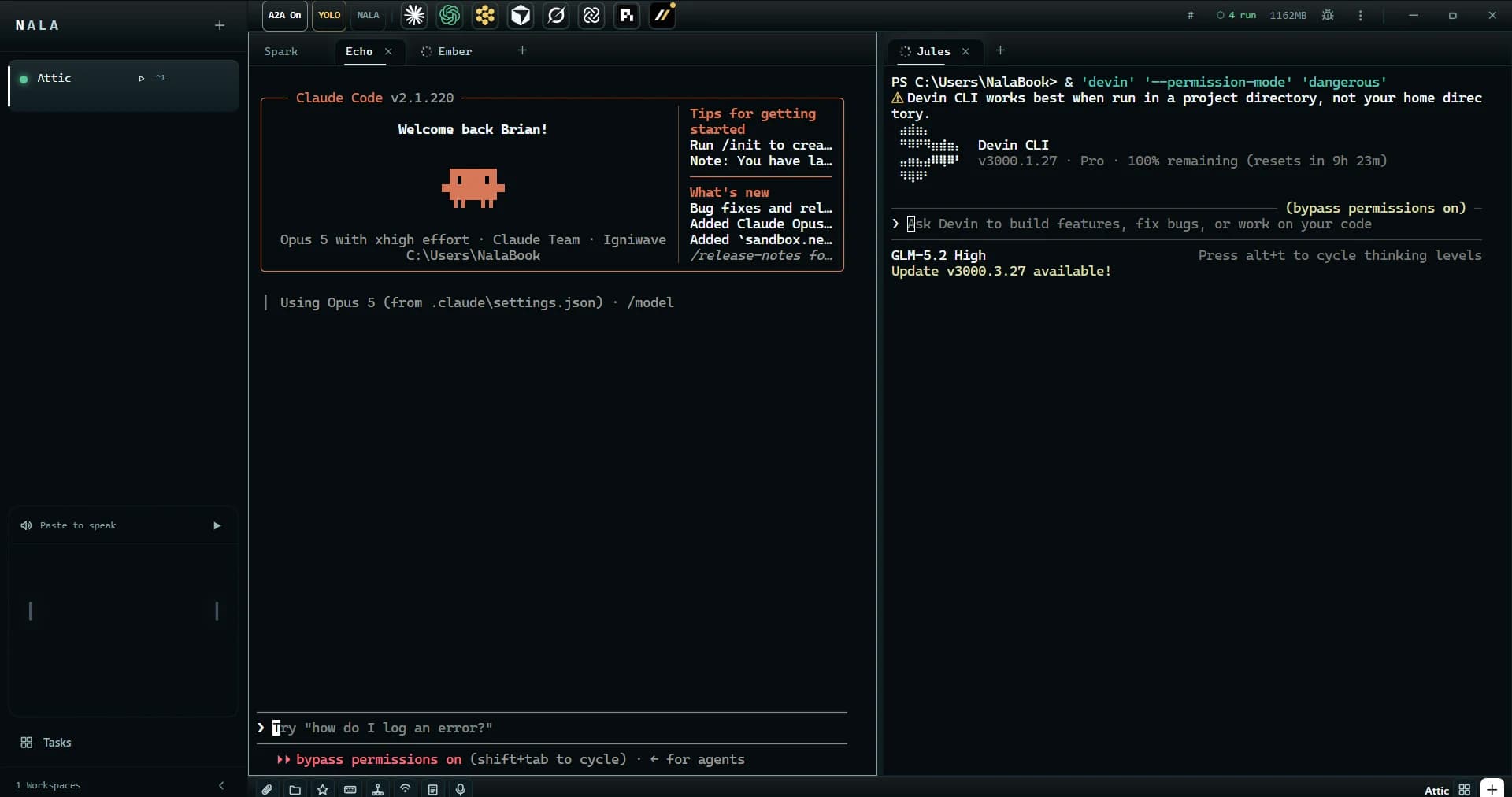
Run Claude Code, Codex, Cursor, Grok, Kimi, Gemini, Devin, and OpenCode side by side in one workspace. They share one task board and hand work to each other across providers, and you see honest status wherever Harmony can observe what an agent is doing. Real terminals sit under every tab, with one visible route from assignment to approval.

01 / CONNECT
Harmony finds the coding CLIs already installed on your machine and opens each one in its own real terminal tab, whichever provider it came from.
02 / ASSIGN
Put the work on a shared task board. An agent claims an item before starting it, so two never begin the same thing and questions land somewhere you can find them.
03 / HAND OFF
A completed item goes to the next agent through an inbox that survives a restart, not back to your keyboard. Close the window and they carry on in the background.
04 / APPROVE
Watch every agent from one screen. Starting a new agent or taking a risky action waits until you say yes, unless you switch on YOLO mode.
Running five coding agents is not five times one agent. The hard part is what sits between them: shared state, work passing across providers, and one place you can watch it from. That layer is what Harmony is.
01 / SHARED CONTEXT
Agents read and write the same board, so the next one starts from where the last one stopped instead of from your summary of it. Two agents never pick up the same item.
02 / HANDOFF
PreviewA durable send, ask, reply and inbox protocol runs in the background, so a reviewer can question the builder and a lead can task its department without you carrying context between windows.
03 / CONTROL PLANE
Agents reach the workspace as an MCP server. You reach the same operations from a terminal with no window open, which is what makes supervision scriptable rather than manual.
04 / RECOVERY
Close the window and sessions keep running. If the laptop sleeps they pause with it; on wake Harmony rechecks each one and reattaches the same tabs and terminal history.
What you get
Harmony orchestrates the coding agents you already pay for, in one window, on your own machine. Their sessions keep going when you close it, and you can see what each one is doing in a real terminal rather than a chat transcript.
01 / PROVIDERS

Open Claude Code, Codex, Cursor, Grok, Kimi, Gemini, Devin, OpenCode, and your own CLI in real terminal tabs. Smart-tile as many as the work needs in one click, and each tool still behaves exactly the way it does on its own.
02 / CONTINUITY

Quit the UI and local agent sessions keep running in the background. If the laptop sleeps, they pause with the machine; on wake, Harmony rechecks them and reattaches the same tabs and terminal history.
03 / DELEGATION

Work goes on a shared board and an agent claims an item before starting it, so two of them never begin the same task and none of them sits idle waiting to be told. You can read every exchange and reassign anything.
04 / ISOLATION

Give each agent its own task and its own git worktree, so two of them cannot edit the same file at the same time. You merge the results when you are ready.
05 / MCP TOOLS

Add Harmony as an MCP server and supported agents can read your terminals, type into them, and drive a browser, instead of only writing text back to you.
06 / CONTROL

Your code, terminal history, provider keys, and voice stay on your computer unless you send an agent to Harmony Cloud, and then only what you chose to send leaves, shown to you first. Analytics are optional and never include what you are working on.
Local control
No Harmony account, hosted project mirror, or model gateway is required for the core workspace.
Harmony Cloud
Local by default. Cloud by choice. When a job outgrows your laptop or your evening, send one agent, several at once, or the whole workspace to a hosted machine. Stack the next prompts, walk away, and reattach from any terminal with harmony -r. Bring the results home when it's done.
$29/month60 Agent Hours of hosted compute each month.
One Agent Hour is one hour on a Standard machine. Larger machines use hours faster.
Try it with 5 Agent Hours, free. No card. When the hours run out, nothing is charged — Harmony keeps working locally. Harmony Cloud is hosted Agent Hours. Model tokens stay with the provider you already pay.
SEND
One agent, a fleet, or the workspace. You see what leaves before it leaves.
STACK
Queue prompts; your agent works them in order on the server, laptop open or shut.
RESTORE
harmony -r lists local and cloud sessions and reattaches to one.
BRING HOME
Results apply back to your checkout, with divergence called out. Never metered.
Product scope, agent support, agent coordination, cross-provider handoff, handoff, cross-provider work, automation, credentials, platforms, offline use, session continuity, price, the cloud, and web supervision. The rest lives in the docs.
Read the docsReady when you are
Free · Runs locally · No account needed · Cloud when you want it