A workspace built for several coding agents at once
Free · runs on your machine
For decades the editor was the center: you and a file. When coding agents arrived, most tools parked one assistant in a chat panel or left each CLI in its own window. You became the messenger pasting context between tabs.
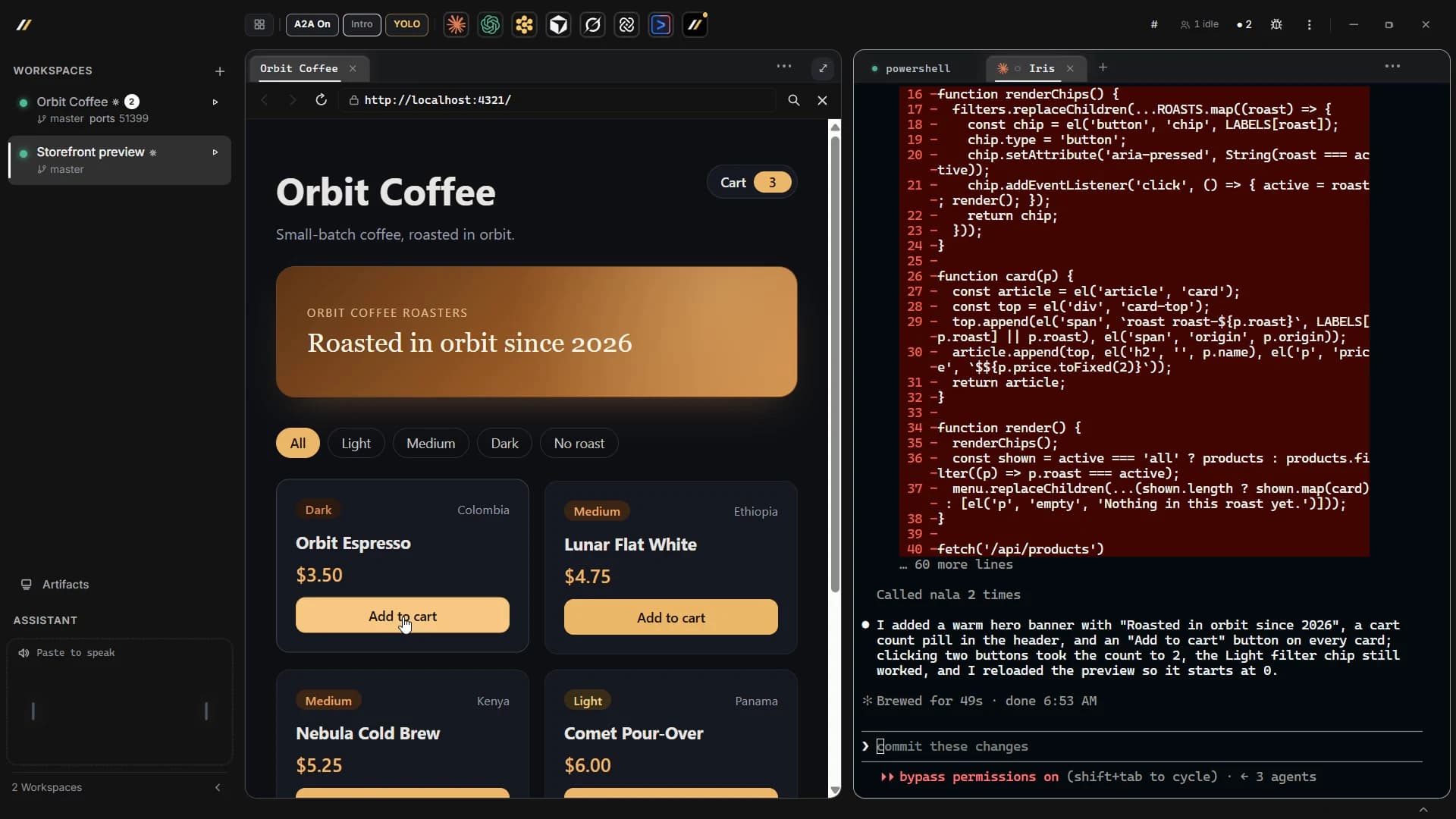
Harmony is a free desktop app (plus CLI and TUI) that opens the coding agents you already use in side-by-side tabs on your machine. Tasks, terminal history, agent-to-agent messages, and approval prompts are first-class UI, not a guest sidebar on a single-file IDE. You still pay the providers you already use; Harmony does not resell tokens.
Run Claude Code, Codex, Cursor, Grok, Kimi, Gemini, Devin, and OpenCode side by side in one workspace. They share one task list and hand work to each other across providers, and you see honest status wherever Harmony can observe what an agent is doing.
The team photo: one founder, several coding agents, all working inside Harmony itself.
One founder. Multi-agent tabs. Shipped free.
Harmony is built and dogfooded by a single founder running several coding agents inside the product every day. The download page reads directly from the release manifest, so it offers only the platform artifacts that are actually published. Hundreds of tests guard each release. The result is a product shaped by daily use, direct feedback, and the work it is built to coordinate.
Harmony is built by Brian Permut. In the past year he built eight software products and wrote or directed about 2.1 million lines of code, after thousands of hours running several coding agents at once. He builds Harmony with Harmony every day, an hour north of San Francisco.
Longer term, you open Harmony, speak or type a goal, and the agents keep one shared task list with status you can trust, from any screen. The free app stays local-first: your keys and your machine, using the models and agents you choose.
“After a few days of dogfooding I stopped juggling separate terminals and virtual desktops. I run several agents in one workspace, put one agent in charge of others, and approve the hard calls myself.”Brian Permut, founder
Free to use. Source access by invitation.
The product is free: download it, run it locally, bring the agents and provider tools you already use. No Harmony account is needed to use it. Harmony Pro is the optional cloud plan, for when your agents need to keep running after you close the laptop.
We are moving toward opening the codebase so people who care about the craft can read it, improve it, and ship with us. While the project is young, repository access goes through a short approval process.
The review keeps early contributions focused, gives each contributor useful context, and protects the time needed to maintain a coherent product. The aim is a small, thoughtful workshop with clear ownership.
If you want source access or a path to contribute, write us. Tell us who you are and what you want to build. You will get a real answer from the person building it.
What's next
Download free. Open a workspace. Launch an agent tab.
Connect Claude Code, Codex, Cursor, Grok, Kimi, Gemini, Devin, OpenCode, and your own CLI. Shared tasks and messages on your machine. Local use needs no Harmony account.
Free · Runs locally · No account needed